

IMPORTANT: YOUR HOME MAY BE REPOSSESSED IF YOU DO NOT KEEP UP REPAYMENTS ON YOUR MORTGAGE.
For self-employed mortgage applications in England, an SA302 plus the matching Tax Year Overview is the standard proof most lenders ask for. If you filed online through HMRC, you can download both documents from your account today. If your accountant filed for you using commercial software, ask them for the tax computation instead and pair it with the Tax Year Overview. Most lenders want multiple years of these documents; some accept fewer years, and supplying additional years can give you a wider choice of deals.
TL;DR:
- Most lenders require two to three years of SA302 and Tax Year Overview documents for self-employed mortgage applications, with three years broadening borrowing options.
- Discrepancies between the tax due on your SA302 and the amount paid on your Tax Year Overview can cause delays and require prompt explanation or correction.
- Downloading SA302s and Tax Year Overviews is straightforward if filed directly through HMRC online, but may require asking your accountant for a tax computation if filed via accounting software.
- Properly labeling and submitting all documents in a single folder per year helps expedite underwriting, and addressing any mismatches before application is crucial.
- Consult an adviser beforehand to review your documentation, ensure lender compatibility, and improve the chances of a smooth mortgage approval process.
Table of Contents
- What an SA302 and a Tax Year Overview actually show
- How many years of SA302s do lenders want?
- How to download your SA302 and Tax Year Overview from HMRC
- If an accountant or software filed your return
- Common mismatches and how to fix them fast
- What to send your lender: a practical checklist
- How Haven Mark Advisers helps self-employed applicants
- Get your SA302 evidence reviewed before you apply
- Primary sources and further reading
- Sources
- FAQ
What an SA302 and a Tax Year Overview actually show
An SA302 is HMRC's summary of your Self Assessment tax calculation. It sets out your declared income, the allowances applied, and the tax due for that year. A Tax Year Overview is different: it's HMRC's record of what you owed and what you've actually paid, effectively a ledger entry confirming your account is settled.
Lenders ask for both because each answers a separate question:
- The SA302 tells them how much you earned and how HMRC assessed it.
- The Tax Year Overview confirms you paid what you said you would.
- Together, they let underwriters cross-check the figures against each other before relying on them.
That consistency check matters more than either document alone. A lender seeing only an SA302 has no proof the tax was ever settled, which is why Get your SA302 tax calculation explicitly covers printing both from your HMRC account.
How many years of SA302s do lenders want?
Two years of accounts or SA302s is the standard expectation across most lenders, though this varies by provider and by how long you've been trading. Some lenders will work with one year if the rest of your application is strong. Supplying three years rarely hurts and often opens up a wider range of products, since it gives underwriters more confidence in your income trend.
How the figures get assessed also depends on your business structure:
- Sole traders are typically assessed on net profit after expenses, not turnover.
- Company directors are usually assessed on salary plus dividends drawn, though some lenders will consider retained profit within the business, particularly for company director applicants with strong reserves.
- Income multiples and affordability stress tests are applied to whichever figure the lender counts as assessable income, so a lower "declared" income for tax efficiency can reduce the amount you're able to borrow.
This is where self-employed applicants often lose out compared with employees on a fixed salary, and it's worth discussing structure with an adviser before applying for a self-employed mortgage.
How to download your SA302 and Tax Year Overview from HMRC
If you filed your own Self Assessment return online, getting these documents is straightforward.
- Sign in to HMRC's online services using your Government Gateway or GOV.UK One Login credentials.
- Navigate to the Self Assessment section of your account.
- Select "Get your SA302 tax calculation" for the relevant tax year and save it as a PDF.
- Return to the same area and download the matching "Tax year overview" for that identical year.
- Repeat for each tax year your lender has requested, typically the two or three most recent.
Your SA302 is usually available roughly 72 hours after you submit your return online, so filing early before an application gives you breathing room. HMRC keeps the last four years of calculations in your account, which is generally enough for any lender's request.
Pro Tip: Save each file with the tax year in the name, for example "SA302_2024-25.pdf" and "TYO_2024-25.pdf". Underwriters processing dozens of applications a week will thank you for it, and it cuts down on queries asking which document covers which year.

If an accountant or software filed your return
HMRC's online SA302 view often doesn't appear if your return went in through commercial accounting software or was filed by your accountant on your behalf, since HMRC doesn't always generate that view for returns submitted this way.
In that situation:
- Ask your accountant for the tax computation, sometimes called an "SA302-style" export, from whichever software they used.
- Categories like cloud accounting platforms (Xero, QuickBooks) and dedicated tax filing software can all produce this document, though the format varies by provider.
- Always pair the accountant's computation with the genuine HMRC Tax Year Overview, and label both clearly so an underwriter isn't left guessing which is which.
- Check with your lender in advance, since not every provider treats an accountant's computation as equivalent to an HMRC-branded SA302. The GOV.UK list of lenders accepting self-printed SA302s and Tax Year Overviews is the place to check this before you submit anything.
Common mismatches and how to fix them fast
The figure that trips up more applications than any other is simple: the "tax due" on your SA302 must match the "amount due" on your Tax Year Overview to the penny. Even a small discrepancy, often caused by an amended return, an unallocated payment, or a timing difference between two tax years, will trigger a lender query and stall your application.
- Check your HMRC online account first to see if a payment has been logged against the wrong year.
- Ask your accountant to explain any adjustment before you submit documents to a lender.
- If you need a fresh paper copy from HMRC rather than the online PDF, allow around 14 days for it to arrive.
If you do need to send a paper copy or an extra explanation to a lender, say so upfront in your covering note. A short, proactive explanation almost always resolves an underwriting query faster than silence.
What to send your lender: a practical checklist
Underwriters move faster when documents arrive complete and clearly labelled. For each tax year requested, send:
- The SA302 (or accountant's tax computation) for that year.
- The matching HMRC Tax Year Overview for the same year.
- Both combined into a single folder or PDF per tax year, not scattered across separate emails.
- Finalised accounts, if you have them, as supporting evidence.
- Three to six months of business bank statements.
- A short confirmation letter from your accountant, if your income structure needs explaining.
Name each file by year and document type ("SA302_2023-24.pdf", "TYO_2023-24.pdf"), and use a covering email subject like "Self-employed income evidence — [your name], two tax years attached." A brief body text listing exactly what's enclosed saves the underwriter a follow-up call.
How Haven Mark Advisers helps self-employed applicants
Preparing the right SA302 evidence is only half the job; matching it to a lender that understands your income structure is the other half. Haven Mark Advisers assigns one dedicated adviser to review your documentation, flag mismatches early, and match your profile to lenders suited to self-employed and business owner applications.
Contact an adviser if you've recently started trading, operate as a company director, have spotted a figure mismatch, or draw income from multiple sources. Eligibility and lending decisions always rest with individual lenders, and no outcome can be guaranteed, but getting documentation right before you apply reduces the chance of delay.
Get your SA302 evidence reviewed before you apply
Chasing HMRC downloads, checking whether your accountant's export will satisfy a particular lender, and working out which of your two years of income a lender will actually count, all of that eats time you could spend house-hunting instead. An adviser can review your SA302s and Tax Year Overviews, check the figures match, and match you to lenders suited to self-employed and director income before you submit anything.

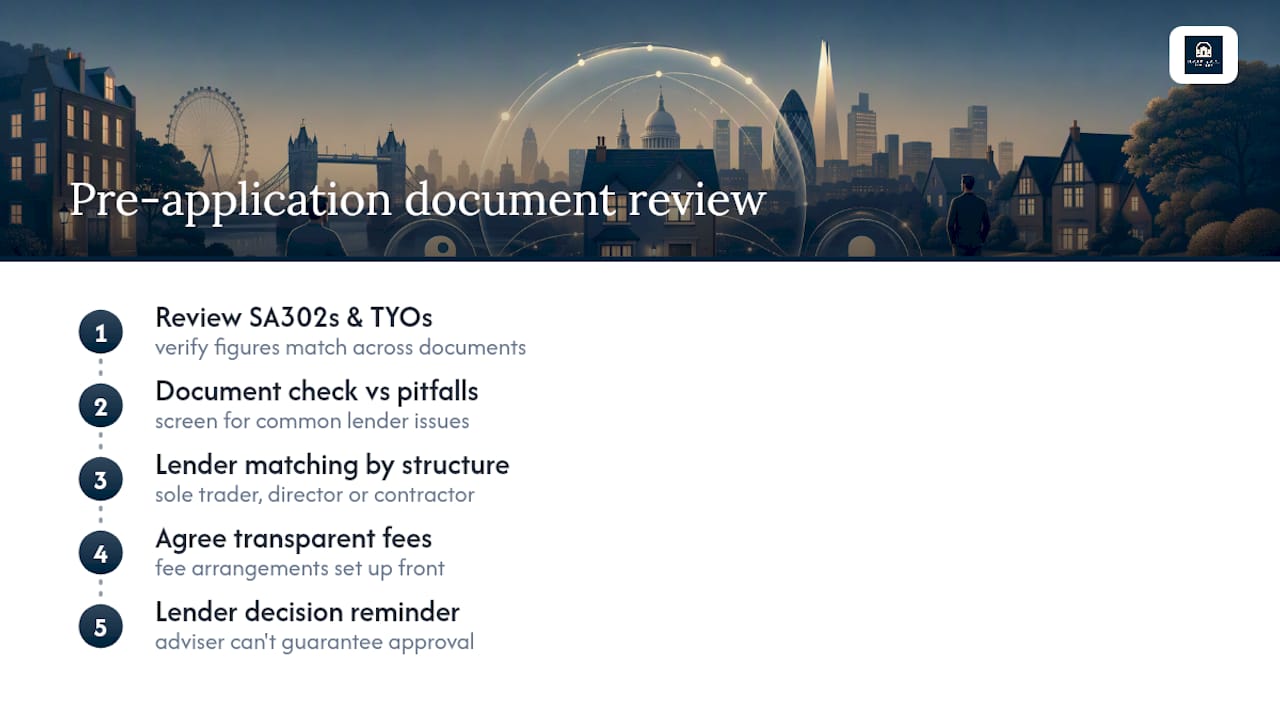
The service includes a document check against common lender pitfalls, lender matching based on your specific structure (sole trader, director, or contractor), and transparent fee arrangements agreed upfront. As with any mortgage application, acceptance and terms are set by the lender, not the adviser, and nothing here guarantees borrowing or approval.
If you're preparing to apply as a self-employed borrower, book a review with Haven Mark Advisers and get your documentation checked before it reaches an underwriter's desk.
Primary sources and further reading
For official guidance, see GOV.UK's SA302 tax calculation page, the list of lenders accepting self-printed SA302s, and practical guidance on getting a straight answer out of HMRC when chasing a query.
Sources
FAQ
How do I find my SA302 on HMRC's website?
Sign in to your HMRC online account, go to Self Assessment, and select "Get your SA302 tax calculation" for the year you need, then download the matching Tax Year Overview from the same section.
Does HMRC still provide SA302s?
Yes, HMRC still provides SA302 tax calculations, viewable and printable from your online Self Assessment account for the last four tax years, though the document only appears there if you filed directly through HMRC's own service.
Where can I get an SA302 if I can't access it online?
You can request a paper copy from HMRC, which typically takes around 14 days to arrive; if an accountant filed your return using commercial software, ask them for the tax computation instead.
What is an SA302 used for?
An SA302 is most commonly used as proof of income for self-employed mortgage applications, alongside the matching Tax Year Overview, though some lenders and other financial institutions also accept it as general income evidence.
Can Haven Mark Advisers help if my SA302 figures don't match my Tax Year Overview?
Yes, an adviser can review your documents, help you identify the cause of a mismatch with your accountant, and match you to lenders suited to your circumstances, though resolving the underlying HMRC discrepancy itself sits with you and your accountant.
Recommended
- Self-employed mortgage: what you need to know
- Mortgage for Professionals: What Lawyers, Doctors and Self-Employed Need to Know
- Getting a mortgage as a limited company director
This article provides general information only and does not constitute personalised mortgage advice. Mortgage availability, affordability and lender criteria depend on individual circumstances and may change. Please seek advice tailored to your circumstances before acting on this information.